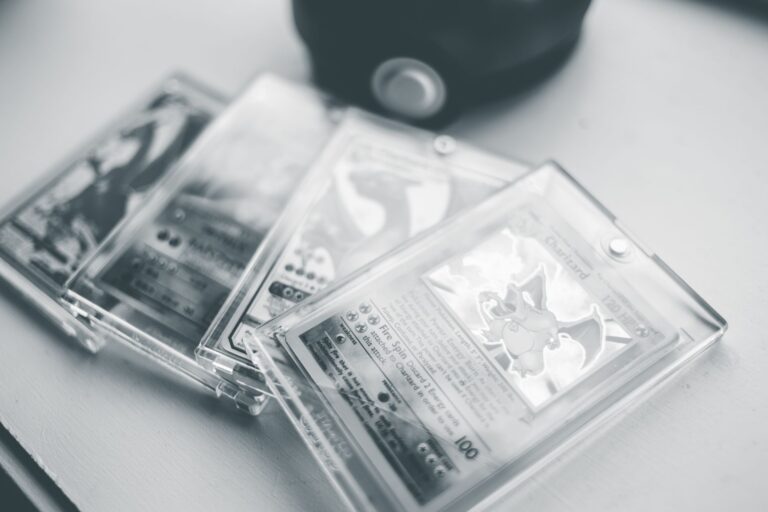
Yes. Save a certification-lookup screenshot when buying a Pokémon slab, especially for an expensive or remote purchase. It provides a dated record of what the grading company's database showed before money changed hands.
A slab is a card sealed in a grading company's plastic holder. Its certification lookup connects the holder's number or QR code to recorded details such as the card, set, grade, and label information. The screenshot is useful evidence, but it cannot authenticate the slab by itself.
Table of Contents
- What the Screenshot Preserves
- What a Matching Lookup Cannot Prove
- Build a Stronger Purchase Record
- A Practical Lookup-and-Save Routine
- When Saving One Matters Most
What the Screenshot Preserves
Online certification records can be corrected, expanded, removed, or displayed differently later. A screenshot preserves the information you relied on when evaluating the listing. That record helps when a delivered slab has a different certification number, grade, card description, or label.
It can also document that the seller's photos and the lookup agreed at the time of purchase. Save the full lookup page when possible. A tightly cropped image may omit the website address, certification number, or other context needed to understand it.
What a Matching Lookup Cannot Prove
A database match shows that the certification number corresponds to a recorded card. It does not prove that the physical holder is genuine, because a copied number can appear on a counterfeit label. It also does not confirm that the seller owns the pictured slab or will ship that exact item.
A dishonest listing could reuse photographs and certification details from another sale. Compare the physical features shown in the listing with the lookup and label. Check the card name, set, card number, grade, grading company, certification number, label style, and any available card images. Treat unexplained differences as reasons to pause.
Build a Stronger Purchase Record
A screenshot becomes more useful when it sits beside the rest of the transaction record. Together, the files show what was advertised, what the database displayed, and what you agreed to buy.
Before paying, save: If the slab arrives, photograph or record the unopened package and the item during opening when the purchase warrants it. Capture any cracked holder, swapped card, altered label, or certification mismatch before returning the item.
- The complete certification-lookup page
- Clear front and back listing photos
- Close-ups of the label and certification number
- The full item description and stated condition
- Seller messages about authenticity, damage, or returns
A Practical Lookup-and-Save Routine
Open the grading company's official lookup page yourself rather than relying only on a seller-provided screenshot. Type or scan the certification number, then compare every displayed field with the listing. Take a screenshot that includes the certification number, card details, grade, and visible site identity.
Include the device date or save the file with a clear purchase date, but remember that timestamps and images can be edited. Keep the original image rather than pasting it into another document. Store it with the listing and receipt under one descriptive filename or folder, such as "2026-08-14-Pikachu-cert-order." Avoid publicly posting receipts, addresses, account details, or private messages.
When Saving One Matters Most
The extra record is most valuable for high-priced cards, unfamiliar sellers, marketplace purchases, and slabs shipped across long distances. It also helps when the certification description contains a variant, language, parallel, or error designation that affects value. For a low-cost purchase from a trusted source, the screenshot may never matter.
It still takes little effort, while reconstructing a removed listing or earlier lookup result may be difficult. If the lookup returns no result or conflicts with the slab, do not assume either fraud or a harmless database error. Ask the grading company or seller for clarification before paying, and keep the response with the transaction files.