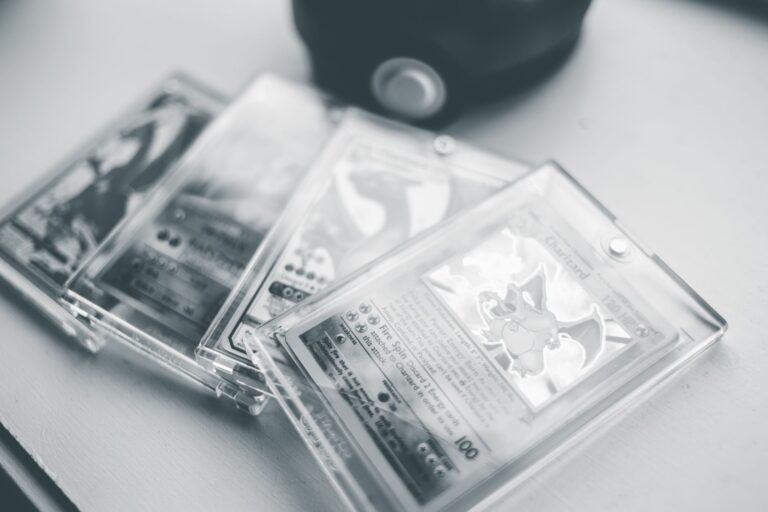
No specific Pokémon slab listing was identified, so its seller or use of stock photos cannot be independently confirmed. To confirm the exact cert, enter the certification number from the pictured slab's label in the grading company's official database. A slab is a card sealed in a grading company's holder with a label showing its grade and certification number. A matching database entry verifies the number's record, but it does not prove the seller owns that physical slab.
Table of Contents
- Does the listing show the actual slab?
- How to verify a PSA certification number
- Compare PSA's image when available
- What a valid PSA result cannot prove
- How to check a CGC slab
Does the listing show the actual slab?
First, distinguish an actual-item photo from a generic image. The listing should show the offered card, label, certification number, and holder rather than another example with the same card and grade. For used or flawed items, eBay's selling-practices policy requires pictures of the actual item.
That rule ordinarily covers an individually graded card slab. Listing details typed or populated elsewhere do not replace a clear photo of the offered holder. Ask the seller for these images if they are missing: A dated photo helps show present possession, but it still cannot guarantee that the same slab will be shipped.
- The complete slab from the front and back
- A readable close-up of the certification label
- Clear views of the card and holder
- A new photo containing the seller's name and current date
How to verify a PSA certification number
Read the number directly from the slab label, not only from the listing title or item specifics. Enter it into PSA's official Cert Verification database, then compare the returned card description and grade with the listing.
Check each visible detail: Do not explain away a mismatch as a minor listing error. Request a corrected actual-slab photo before deciding whether the listing represents the stated cert.
- Certification number
- Pokémon name and card number
- Set or issue information
- Assigned grade
- Label details visible in the seller's photo
Compare PSA's image when available
PSA says its certification records can include item details and that it is uploading images of graded cards, tickets, and packs. When an image appears, compare PSA's recorded image with the seller's slab. Look beyond the printed number.
Compare the card's centering, visible edge wear, print marks, label, and holder. These details can help determine whether both images appear to show the same physical card. A missing PSA image does not establish a problem; it simply removes one comparison point. In that case, clear current photos from the seller become more important.
What a valid PSA result cannot prove
A valid search result proves that the certification number corresponds to a PSA record. It does not, by itself, authenticate the object shown in an online listing. PSA warns that counterfeit inserts can reuse genuine public certification numbers.
Its database therefore does not guarantee that an online item is genuinely PSA-authenticated. A copied number may return the correct card and grade even when the photographed holder is not the recorded slab. Treat the cert lookup and photo comparison as separate checks. The first verifies the record; the second helps connect the listing to the physical item.
How to check a CGC slab
For a CGC-graded Pokémon card, enter the label's certification number or scan its QR code. CGC's verification tool can show the recorded description, grade, and CGC-taken images.
Compare those results with current front-and-back photos from the seller. If the label number, card details, grade, or available holder image does not match, pause the purchase until the seller supplies an actual-slab photo that resolves the discrepancy.