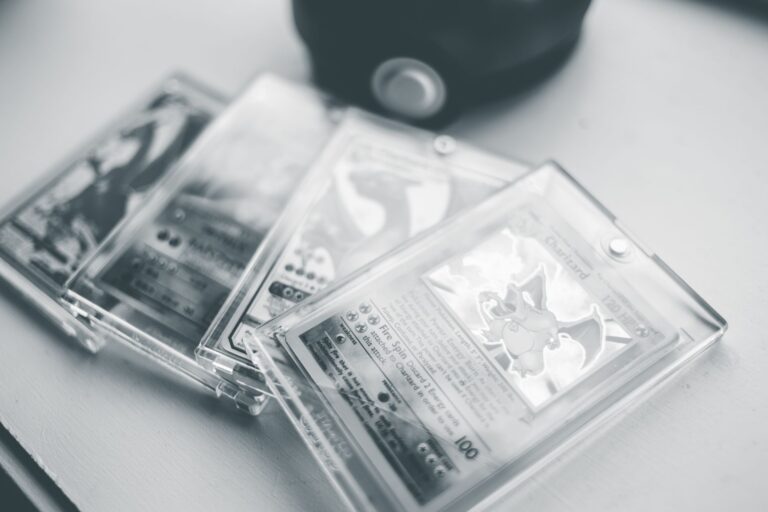
Front-and-back scans are baseline evidence that helps buyers evaluate a Pokémon slab before purchasing it. They show the card, grading label, certification number, and visible holder condition more clearly than a front image alone. A slab is a graded card sealed inside a rigid plastic holder. Clear scans reduce uncertainty, support accurate pricing, and document what the seller offered, but they cannot prove authenticity or reveal every defect.
Table of Contents
- What Buyers Can Learn From Both Sides
- Why Scans Can Affect the Price
- How to Make Useful Listing Scans
- What Straight-On Scans Cannot Prove
- Preserve Evidence From Listing to Delivery
What Buyers Can Learn From Both Sides
The front scan should show the complete holder, label, grade, card name, set information, and certification number. It also helps buyers judge centering, visible print defects, and overall eye appeal. The back matters because many condition issues appear there first.
Buyers may look for whitening, edge wear, corner damage, stains, poor centering, or debris trapped inside the holder. Both images can also reveal cracks, chips, heavy scuffs, or unusual clouding in the plastic. Sellers should distinguish holder damage from card damage whenever the image leaves room for confusion.
Why Scans Can Affect the Price
Cards with the same grade do not always look equally appealing. One copy may have stronger centering, cleaner-looking edges, or fewer distracting marks, which can influence what a buyer will pay. Compare the slab with sales of the same card, set, variation, grading company, and grade.
A sale for another language, label type, print variation, or grader may not provide a useful price comparison. Scans do not create value by themselves. They make visible qualities easier to assess, helping buyers decide whether a particular copy deserves a premium or discount within its grade.
How to Make Useful Listing Scans
Present the slab plainly and preserve enough detail for inspection. Avoid filters, artificial sharpening, selective blur, or edits that change colors or hide damage.
If using a flatbed scanner, do not force the lid against a thick holder. A camera mounted directly above the slab can produce a similarly useful straight-on image.
- Remove any outer storage sleeve that creates haze or glare.
- Capture the entire holder, including its edges and corners.
- Keep the label and certification number readable.
- Use consistent lighting and a neutral background.
- Upload images large enough to inspect without heavy compression.
What Straight-On Scans Cannot Prove
A scan cannot confirm that a slab is genuine, currently owned by the seller, or still in the pictured condition. Certification lookups may help confirm label details, but matching database information alone does not eliminate counterfeit or altered-holder risk. Straight-on images can also hide surface scratches, holographic lines, dents, plastic scuffs, and internal reflections.
These defects may appear only when light crosses the card or holder at an angle. Add close-ups or angled photographs when surface condition materially affects the purchase. For expensive slabs, buyers may also reasonably request a dated ownership image showing the slab beside the seller's name.
Preserve Evidence From Listing to Delivery
Keep the original front-and-back image files, the listing description, and photographs of the packaged slab. This record can help separate pre-existing damage from shipping damage or a later misunderstanding. Before sending the card, match the certification number to the sold listing.
Photograph any disclosed holder defect again, then pack the slab so it cannot move freely or press against hard edges. Never reuse scans from another copy, even when the card and grade match. The certification number, centering, holder condition, and visible card details must belong to the exact slab being sold.