A QR code on a Pokémon slab does not prove that the card or holder is genuine. Check where the code leads, then verify the certification through the grading company's site before trusting the page. A convincing scan result can still come from a copied certification number, a counterfeit label, or a website designed to resemble a grader's lookup page. Treat the QR code as a shortcut to information, not as authentication by itself.
Table of Contents
- What a slab's QR code actually proves
- Check the destination before opening it
- Match the lookup record to the physical card
- Inspect the slab beyond the scan
- What to do before buying or after discovering a mismatch
What a slab's QR code actually proves
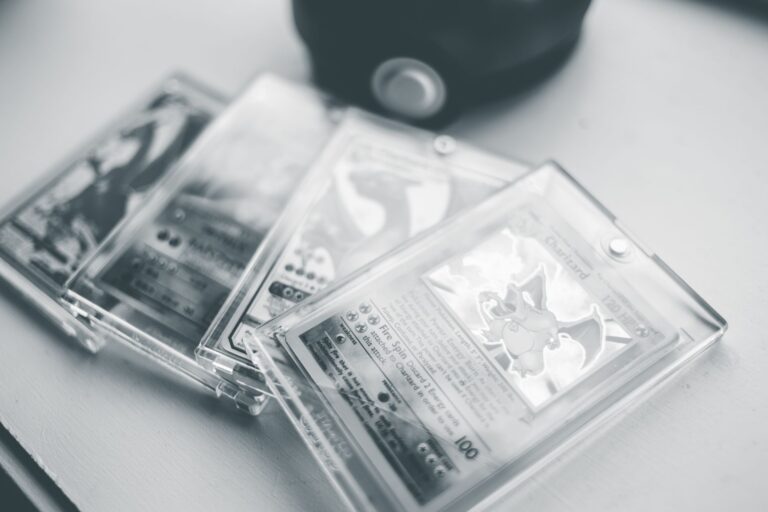
A slab is a sealed plastic holder used by grading companies to protect and label a card. Its QR code stores text—usually a web address or certification number—that a phone can read. The code proves only that the printed pattern contains usable data.
Anyone can generate a QR code, and a counterfeiter may copy one from a genuine slab. Even a legitimate grading-company page has limits. If someone duplicates a real label and certification number, the page may describe the genuine card that was copied rather than the card in your hand.
Check the destination before opening it
Most phone cameras show a preview of the destination. Read the domain—the core website name—before tapping, and do not rely on a familiar logo or page design. Watch for: The padlock symbol and "https" indicate an encrypted connection, not an honest website.
A fraudulent site can also use encryption. When the address looks uncertain, close the preview. Type the grading company's known website address yourself and find its certification lookup tool there.
- Misspellings, extra words, or unexpected hyphens in the domain
- Lookalike characters, such as a numeral replacing a letter
- A shortened link that hides the final destination
- Redirects to a different domain after the page opens
- Requests for payment details, passwords, wallet access, or an app download
Match the lookup record to the physical card
Enter the certification number manually instead of depending only on the QR code. Compare every available field with the slab, including the card name, set, card number, grade, language, and variant. Check photographs when the grader provides them.
Centering, print marks, whitening, scratches, and other visible details should correspond to the physical card, although image quality may limit the comparison. A mismatch is a strong warning sign. A perfect text match is only one positive check because a counterfeiter can reproduce information from a genuine public record.
Inspect the slab beyond the scan
Examine the holder and label under bright light. Compare their layout, typography, spacing, security features, and construction with confirmed examples from the same grading company and label generation.
Be cautious if you notice: Labels and holders can change over time, so one cosmetic difference does not automatically prove fraud. Use several checks together and ask the grading company when a high-value purchase remains uncertain.
- Blurry printing or uneven text alignment
- Misspelled card or set names
- A label style that does not match comparable certifications
- Cracks, cloudy seams, glue, or signs that the holder was opened
- A card variant that differs from the certification record
What to do before buying or after discovering a mismatch
Before paying, ask for clear photographs of the slab's front, back, label, certification number, and edges. Search the certification independently and keep the listing, messages, receipt, and payment record.
If the destination or slab details do not check out: If you already entered a password on a suspicious page, change it through the legitimate service and enable multi-factor authentication. If you supplied payment information, contact the payment provider using the number on its official app, website, or card.
- Do not enter personal or financial information on the scanned page
- Do not download anything prompted by the page
- Pause the transaction and request additional evidence
- Use a payment method with buyer protections
- Report a suspicious listing through the marketplace