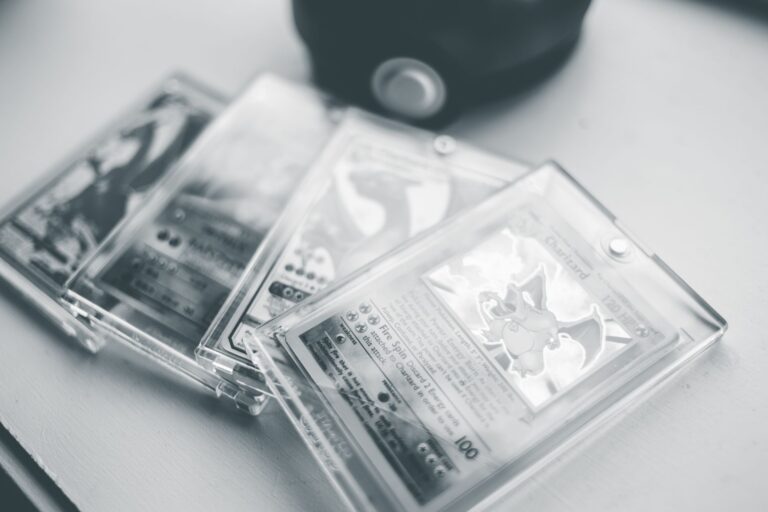
Before buying an expensive graded Pokémon card, require 12 clear photos covering the slab, label, certification number, card surfaces, edges, and corners. These images cannot guarantee authenticity, but they can expose mismatched labels, hidden defects, altered holders, and condition problems before you pay. A graded card is sealed inside a numbered plastic holder, commonly called a slab. The grade describes the card under that grading company's standards, not the slab's current condition, authenticity, or market value.
Table of Contents
- The 12 photos to request
- What makes a photo usable?
- How to separate card defects from slab damage
- Verify the label, certification, and seller
- When should you walk away?
The 12 photos to request
Ask for these specific images rather than requesting "more photos." Each frame should be large enough to inspect without enlarging a compressed or blurry listing screenshot. The four edge photos should show both the card and the holder. That framing helps separate card whitening from dust, reflections, inner-rail marks, and damage on the outside of the slab.
- 1. Full slab front, photographed straight on with all four holder corners visible.
- 2. Full slab back, using the same framing and lighting.
- 3. Front label close-up showing the card description, grade, and complete certification number.
- 4. Reverse label close-up showing any barcode, QR code, hologram, or other security feature.
- 5. Entire card front close-up, centered and in focus inside the holder.
What makes a photo usable?
Require sharp, uncropped originals taken against a plain background. The certification number, card borders, slab seams, and surface texture should remain visible when you zoom in. Diffuse daylight or a movable desk lamp usually reveals more than direct flash.
For the tilted photos, the seller should move the light across the card so defects cannot remain hidden beneath one fixed patch of glare. Ask the seller to remove any outer plastic sleeve before photographing the slab, but never ask anyone to open the holder. Grading-company scans may document the front and back well, yet they rarely replace current photos of the seams, slab corners, or surface under changing light.
How to separate card defects from slab damage
Trace every suspicious mark across multiple photos. A scratch that moves or disappears as the slab tilts is likely on the plastic or caused by a reflection; a mark that stays aligned with the artwork may be on the card. Inspect the front for foil scratches, print lines, dents, stains, fading, and creases.
On the back, look for whitening, edge chips, surface wear, indentations, and uneven borders. A straight-on image shows centering, while angled light is more useful for texture and shallow damage. Slab scuffs may reduce display appeal without changing the card's assigned grade. Cracks, gaps, cloudy seams, chips around the weld, or unexplained looseness deserve greater caution because they can expose the card or suggest holder interference.
Verify the label, certification, and seller
If the grading company provides a public certification lookup, enter the number yourself. Confirm that the recorded Pokémon, set, card number, variant, language, and grade match both the label and the enclosed card. A valid certification number does not prove that the photographed slab is genuine. Counterfeiters can copy real numbers, so compare label layout and security features with official examples from the grading company.
Security designs vary by company and holder generation. Request at least one new image with a unique instruction, such as placing the slab beside a handwritten word you choose. This helps detect reused listing photos, although it still does not establish authenticity by itself. For a purchase you cannot comfortably absorb, consider an in-person inspection or an independent intermediary.
When should you walk away?
Treat missing evidence as risk rather than filling the gaps with optimism. Warning signs include: After delivery, record the sealed package and opening if the transaction value justifies it.
Compare the received certification number, label details, slab damage, and card defects with the seller's original images before removing marketplace tags or confirming acceptance. If anything differs, stop handling the slab, save the packaging and listing, photograph the discrepancy, and use the marketplace or payment provider's dispute process promptly.
- The seller hides or crops the certification number.
- Glare covers the same corner or surface area in every photo.
- The certification record describes a different card, variant, language, or grade.
- The holder seams appear chipped, separated, cloudy, or uneven.
- The seller refuses a simple new photo while pressuring you to pay quickly.